A phone can take thousands of photos, and that is exactly the problem. When every frame is free, it is easy to shoot fast and look later. A film roll flips that. You have 12, 24 or 36 frames, and each press of the shutter counts.
Why limits help
- You look before you shoot. With only 24 frames left, you check the light, the background and the edges before pressing the shutter.
- You commit. There is no instant review to tempt you to reshoot the same frame ten times.
- You finish something. A roll has an end. A set of 24 photos is easier to share, print or post than a camera roll of 4,000.
How a roll works in ShotLab
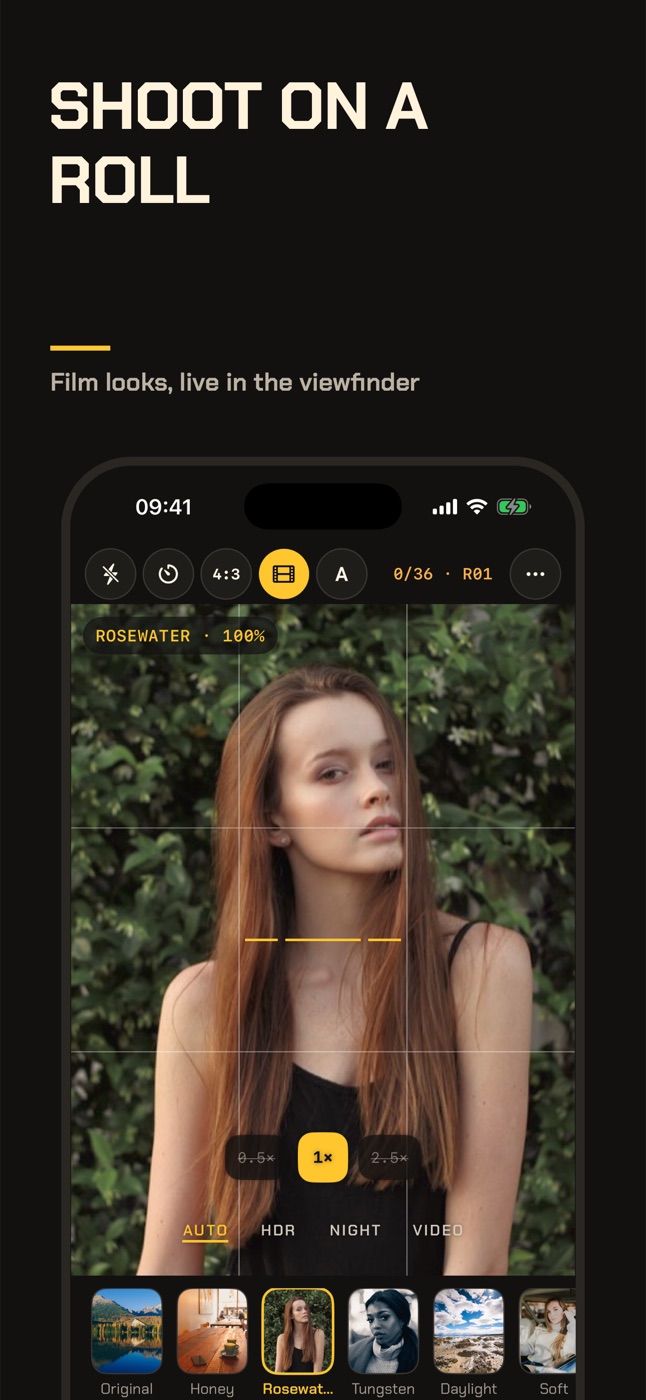
Choose Film mode and load a roll of 12, 24 or 36 exposures. The camera bar shows the counter, for example 0/36, and counts down as you shoot. Digital mode has no limit, so you can switch back whenever you need to.
Film mode also lets you keep your shots a little hidden after you take them. By default, photos are developed instantly. If you prefer the feel of waiting, the develop options hold the roll back until later, on purpose, the way a lab would. You can change this in Settings.
Make every frame count
- Pick one look for the roll. Choose a look before you start, and keep it. A roll with one look feels like a set.
- Decide the subject first. Spend a moment on what the photo is about. Then move your feet, not just the zoom.
- Shoot the light. Warm window light, long shadows, a wet street at night: good light makes plain subjects interesting.
- Leave room. Put the subject off-centre and leave space in the direction it faces.
- Take one, then move. Resist taking five of the same thing. One careful frame is worth more than five similar ones.
- Finish the roll. Even if the last frames are less planned, they often surprise you.
Which roll size?
- 12 is a short walk or a single place. It forces you to be selective.
- 24 suits an afternoon or a small event.
- 36 is a day out or a trip.
After the roll
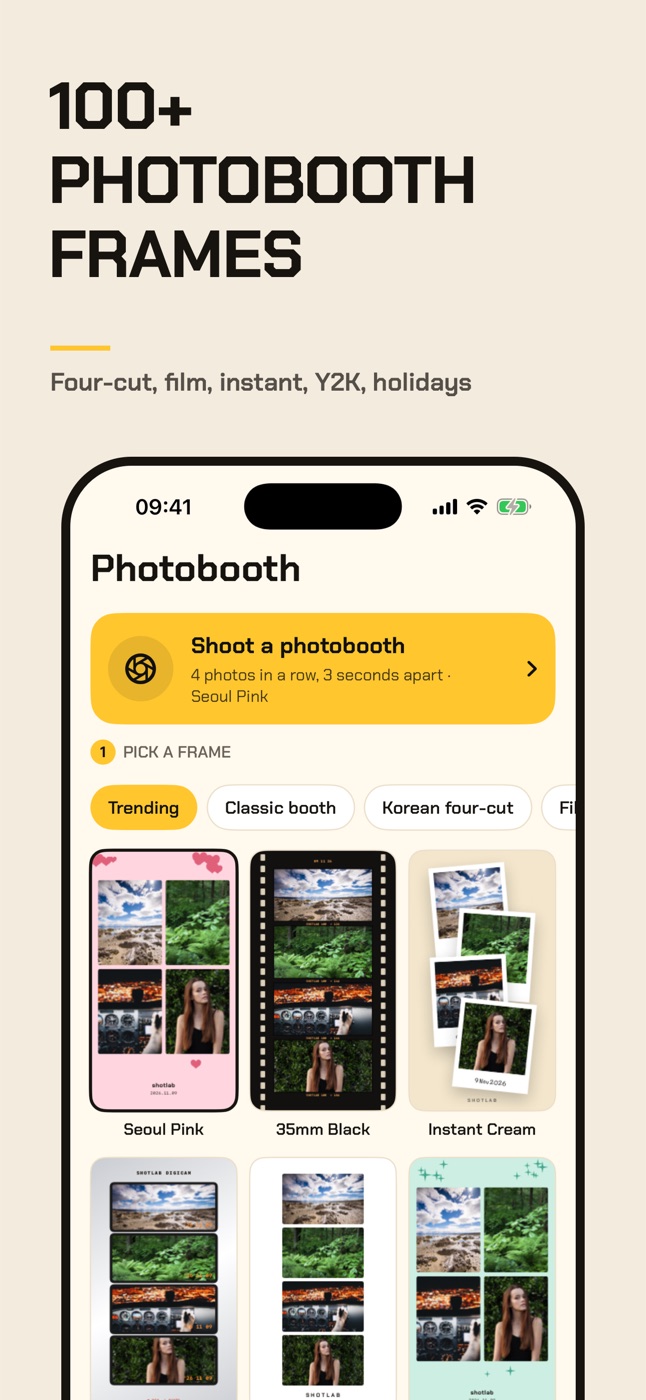
When the roll is full, go through it once without deleting anything. Mark favourites, then edit the best frames in the developing editor with curves, HSL and colour grading, or put four of them in a photobooth strip.
ShotLab is free with ads, and you can try Film mode and the 25 film looks today on iPhone and Android.